

Guides · September 2026
Helios 3D: direct AI shots inside a real set
Prompt-only AI video has a camera problem: you can ask for “low angle, 35 mm, she walks to the car”, and the model places all of it roughly, differently every time. Helios 3D turns that around. You direct a real 3D location — the camera, the lens, the light and the person all have exact positions — and the words are left to do what only words can do: performance and mood.
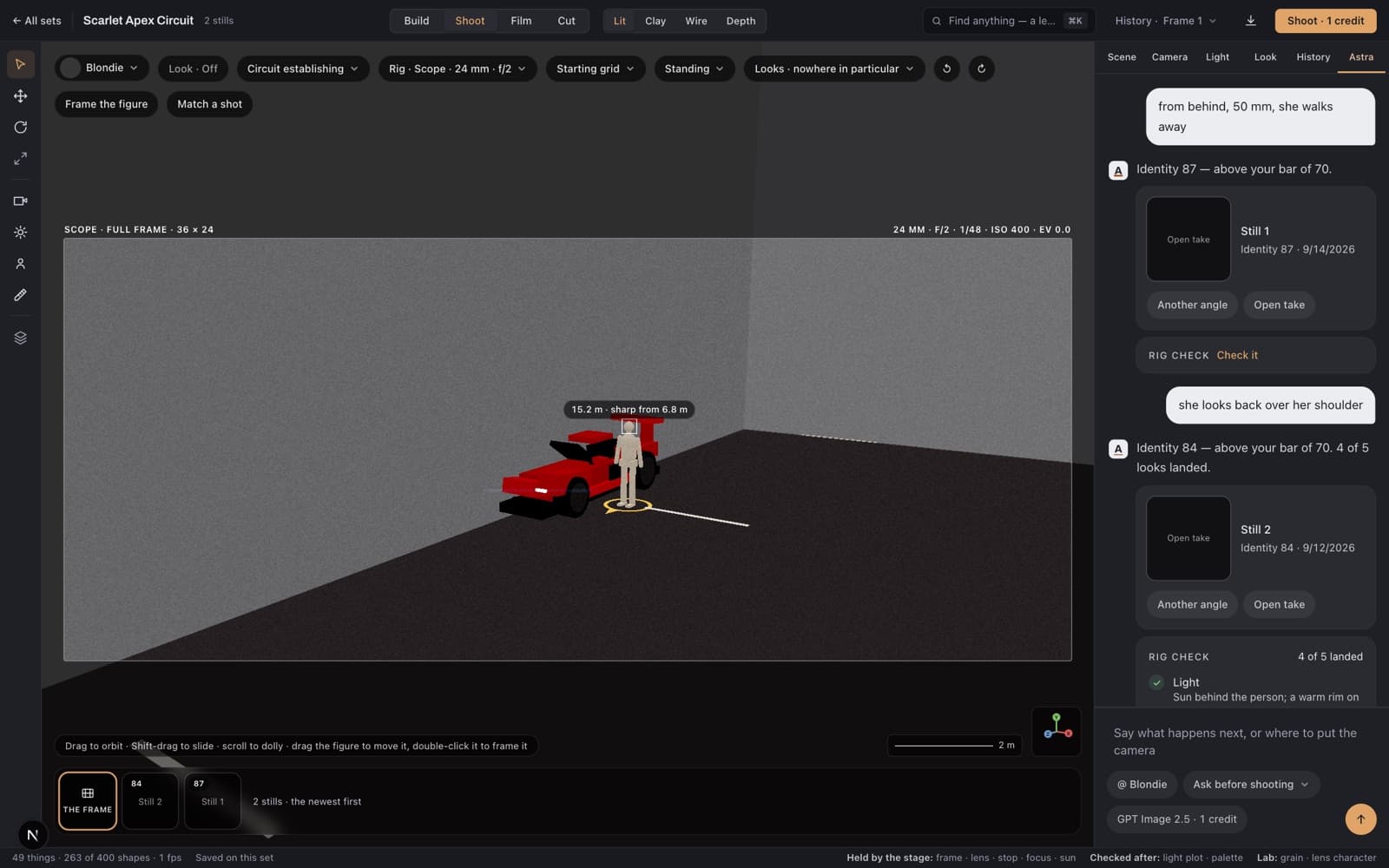
The workspace on a real set: Scope frame lines, a 24 mm at f/2 with its focus readout, and the figure on its mark.
Why geometry beats prompts for the camera
An image model reads words with a light touch: “from behind, 50 mm” might land anywhere behind, at any distance. Helios 3D never asks. The set renders a layout sketch from your exact camera — position, lens, framing, horizon, light direction — and the model is told to match it. The place stays the same place across every shot, because it literally is the same place.
The same geometry keeps your character consistent in space: where they stand, which way they face, where their eyes go, how far the walk is. Identity stays Picacho's usual promise — every render is scored against the character's identity photos, and refused requests never use your credits.
From words to a finished film, in six steps
1Build the set
Describe the location in a sentence or two — a rain-dark market, a racing circuit at golden hour, the sitting room in a photo you upload. Astra builds it as real 3D geometry: walls, floors, furniture, marks to stand on, cameras already placed. It's yours to keep and reshoot forever.
2Place the person and the camera
Drag your character to a mark, choose a pose, say where they look. Orbit the camera to the exact framing you want — the frame lines are the picture, and what you framed out never comes back in the render.
3Set the rig
Six formats from square to anamorphic Scope. Real focal lengths and stops with true depth-of-field readouts, light plots, palettes and film stocks. The viewfinder shows what the settings do before you spend anything.
4Shoot the still
One credit, like any Picacho image. The render is scored against your character's identity photos, and a refused request never uses your credits. Every still lands in the set's filmstrip, ready to be a look or a film's start.
5Take it into motion
A take turns a still into a clip: the stage shoots the end frame where you say the shot ends, and the clip is rendered between the two — a 5-second or an 8-second engine, quoted before you spend. Fourteen camera moves, rack focus, walk paths and eye-lines ride along.
6Cut the film
Film mode lays takes on a timeline — up to three beats with their own keyframes, figure marks and light — previews the whole move for free, and downloads the finished film as one MP4, joined in your browser with nothing re-encoded.
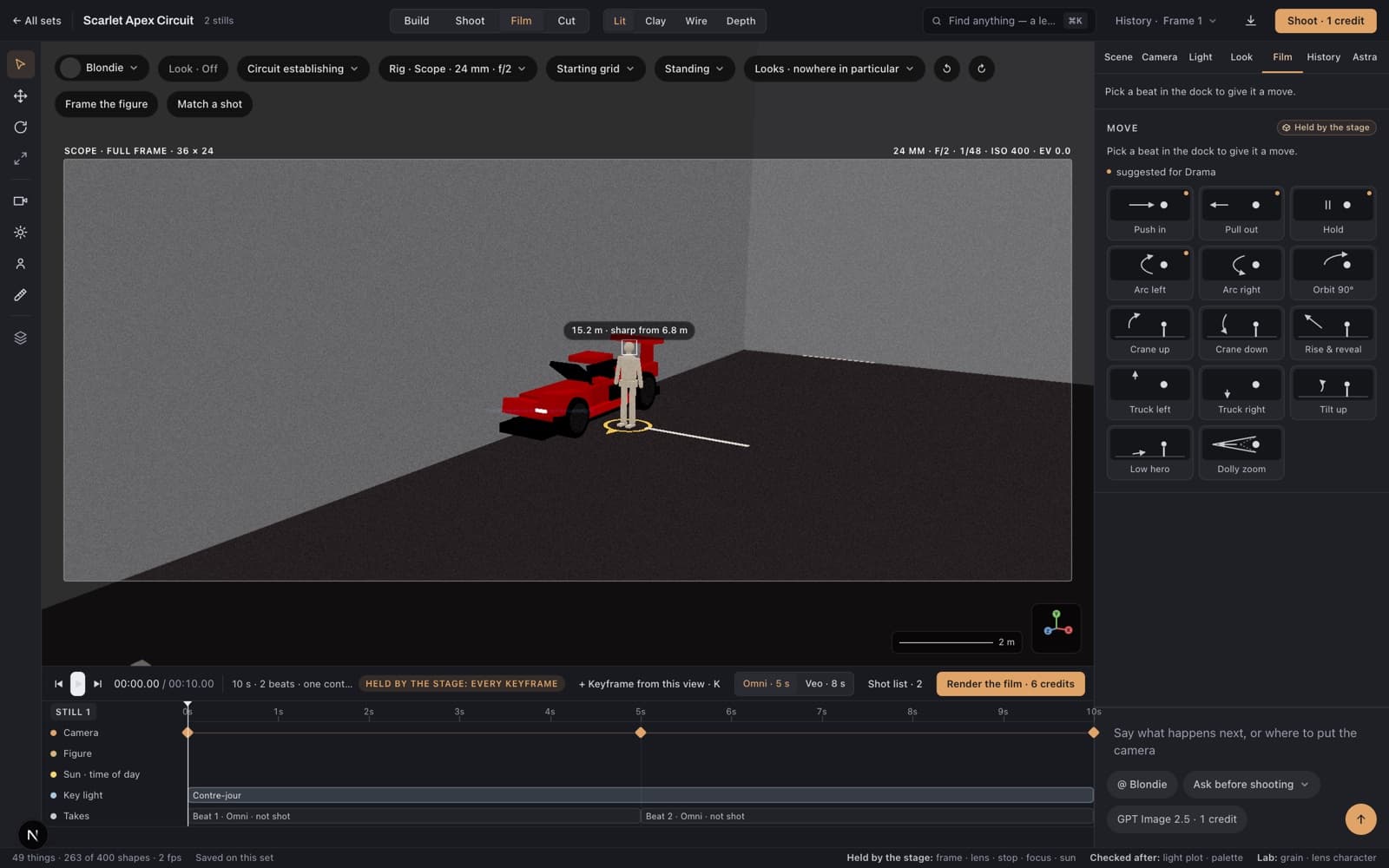
Film mode: beats on a timeline, a move library, and a previz that plays the whole film before a credit is spent.
What each plan gets
Helios 3D is part of every paid plan. Set builds are capped per month — stills, takes and films inside your sets are ordinary renders, priced in credits like everything else on Picacho and quoted before you spend.
- basic — 1 set a month
- starter — 2 sets a month
- growth — 5 sets a month
- studio — 10 sets a month
- elite — 25 sets a month
Build your first set tonight
Describe a place, walk a camera through it, and shoot your character there — on the first try, and on every try after that.
Start with Helios 3D